Work through cases
A finding, the evidence behind it, and what to change.
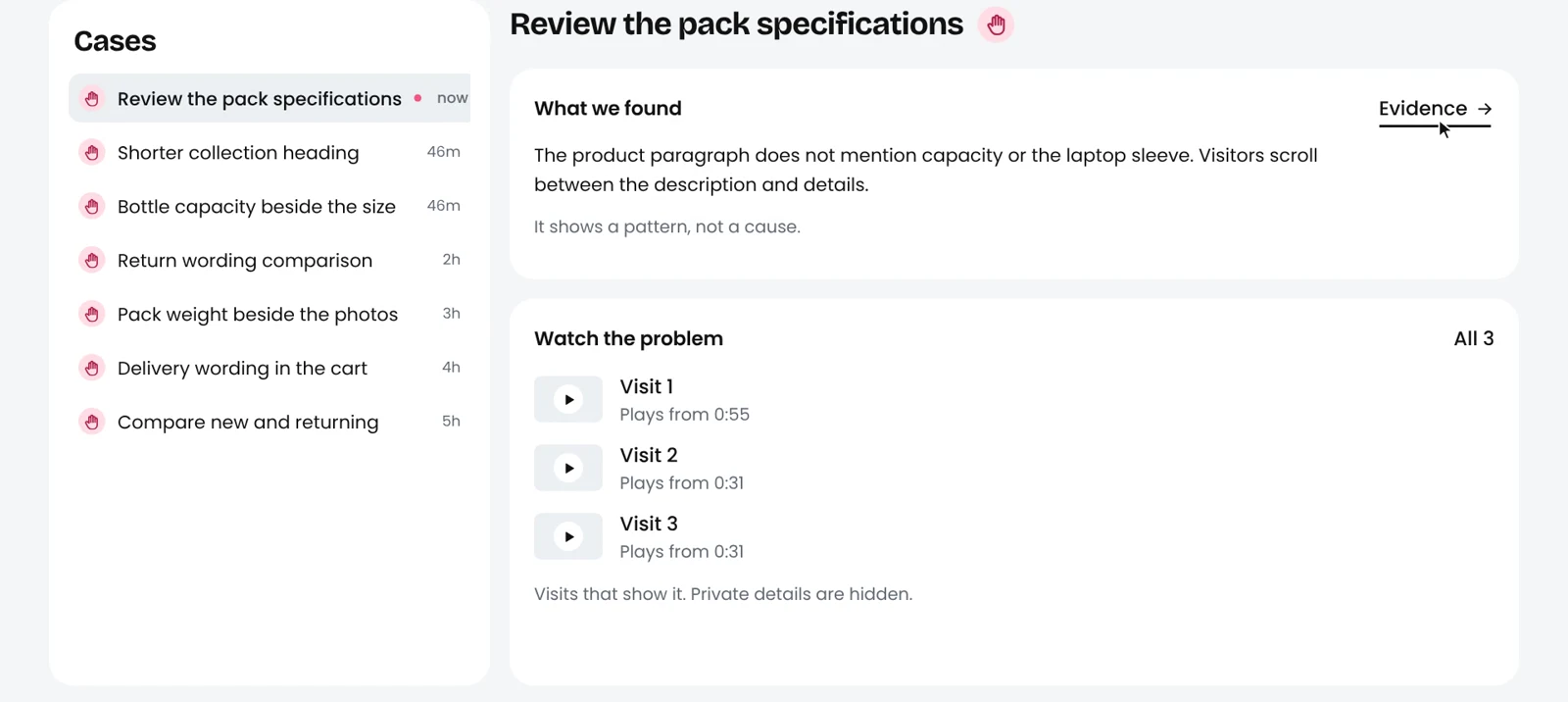
What a case shows
- What we found: a pattern from your store's visits. It shows a pattern, not a cause.
- Watch the problem: the visits that show it, each starting at the right moment. Private details are hidden.
Review a prepared change
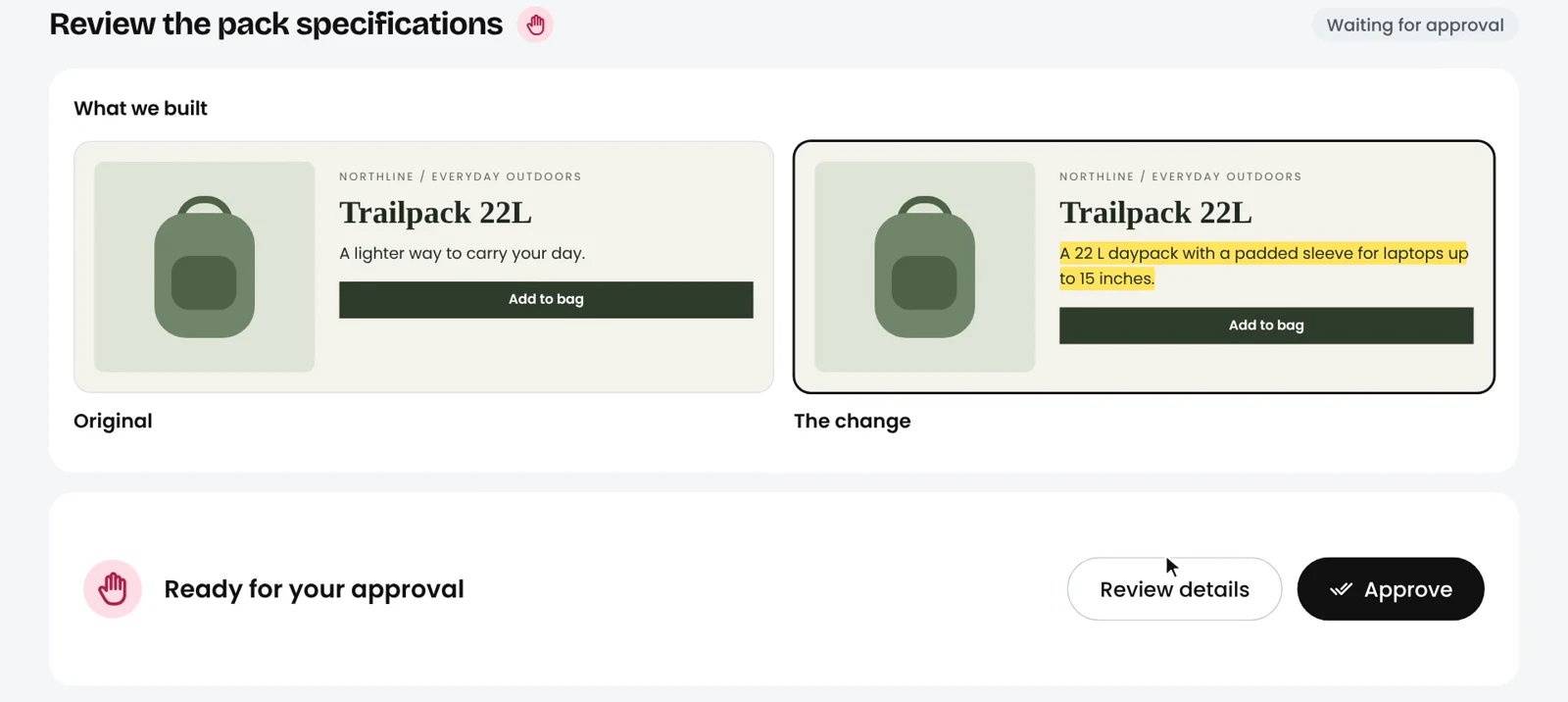
Some cases come with a change prepared for you, shown next to the original. Open Review details to see what it changes, then approve it or describe an adjustment in your own words.
How much Shopsicle can do without asking is your choice, from Always ask to Fully autonomous, depending on your plan.