Turn on recording
Two quick steps in Shopify's theme editor.
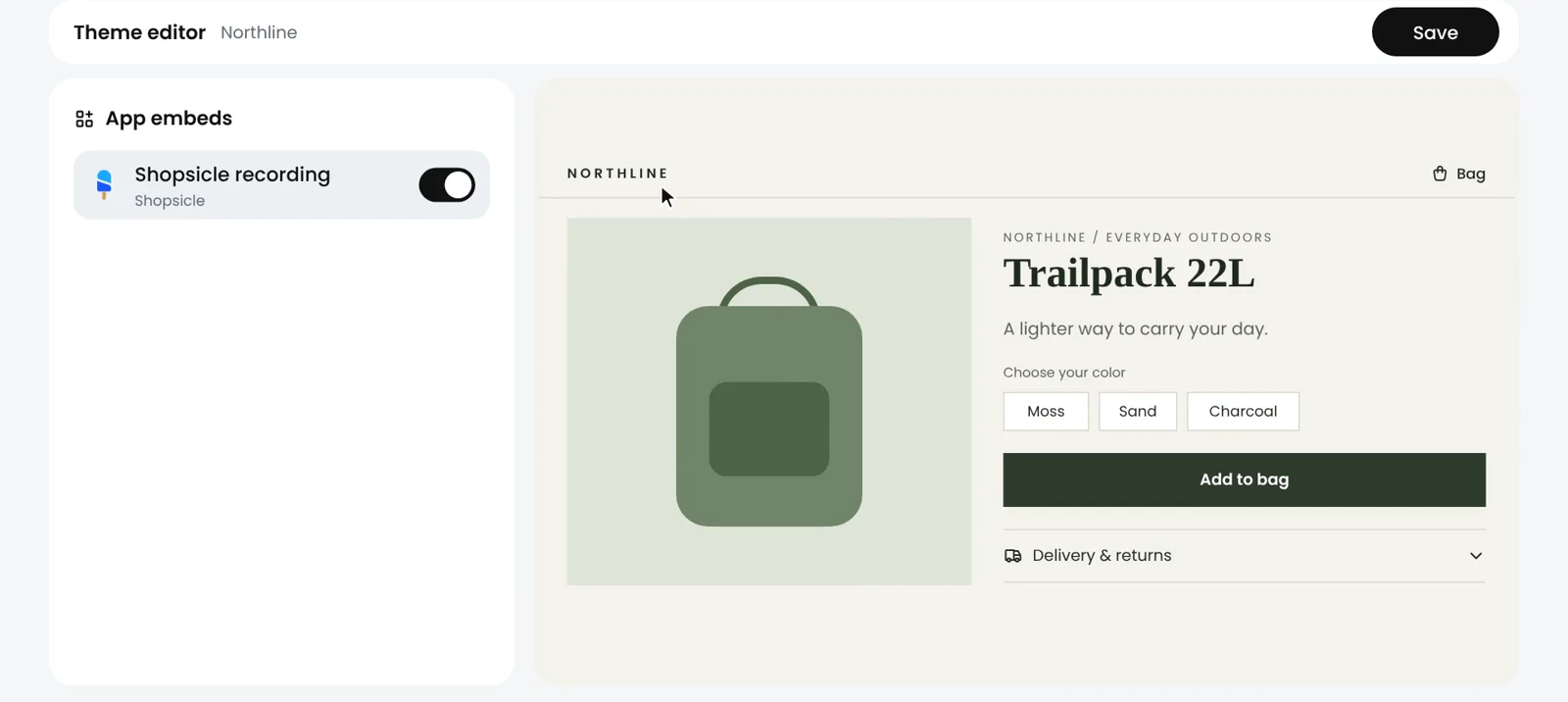
Steps
- In Shopsicle, open Home and choose Open theme editor.
- Under App embeds, turn Shopsicle recording on.
- Click Save, at the top right.
- Open a page on your store to test it. Your first recording shows up in Recordings.
Good to know
- Recording setup depends on your theme. Shopsicle shows the setup steps for yours.
- Recording respects shopper consent.
- Checkout stays private: recordings show a notice in its place.
- If Home asks you to Check your recording switch, visits are arriving without pictures. Open the theme editor and make sure Shopsicle recording is on and saved.